PHP November 2026 Security Release: 18 CVEs Fixed in 8.2 to 8.5
Key points
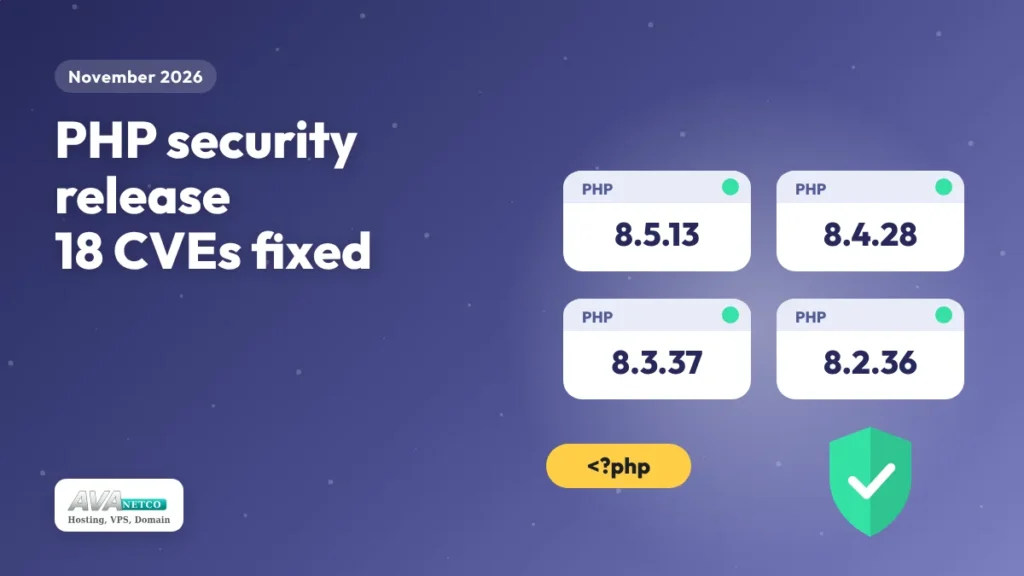
- PHP 8.5.13, 8.4.28, 8.3.37 and 8.2.36 were released on 19 November 2026 and fix 18 CVEs.
- Seven are rated critical (9.2), among them a PHP-FPM request smuggling bug and a use-after-free in the timezone cache.
- PHP 8.1 and older get nothing. Sites on those versions need to move up.
- As with every PHP fix: update the packages, then restart PHP-FPM or the web server.
October’s PHP2Shell fixes had barely been rolled out when the next batch arrived. This PHP security release is broader: 18 CVEs across the engine, PHP-FPM, sessions, SOAP, PHAR and the URL stream wrappers. Most typical sites only touch a few of these code paths, but the PHP-FPM and session issues reach almost every server that runs WordPress, Laravel or a custom app behind nginx or Apache.
Which PHP versions fix the November bugs?
| Branch | Fixed release |
|---|---|
| PHP 8.5 | 8.5.13 |
| PHP 8.4 | 8.4.28 |
| PHP 8.3 | 8.3.37 |
| PHP 8.2 | 8.2.36 |
| PHP 8.1 and older | No fix (end of life) |
The critical bugs, in plain terms
- CVE-2026-129289, PHP-FPM request smuggling. When the web server keeps FastCGI connections open and reuses them, a crafted request can make PHP-FPM read part of it as a second request. Any app that accepts JSON or form posts on every request, such as the WordPress REST API, meets the application side of the condition.
- CVE-2026-129496, timezone cache use-after-free. Reachable without logging in, but only when PHP writes a startup warning into a file-based
error_log. That situation is common right after a PHP upgrade, when an oldphp.inisetting triggers a notice. - CVE-2026-126714, CVE-2026-115560 and CVE-2026-129481, session bugs. Partly overwritten session files, a serializer mismatch and a use-after-free when a session shutdown is interrupted. They are hard to reach on most sites, but shared hosting with a common
session.save_pathraises the stakes. - CVE-2026-129474 and CVE-2026-129182 (PHP 8.5 only). Use-after-free bugs around exception backtraces.
Among the high-rated issues, CVE-2026-128064 is worth knowing about: URLs written with mixed-case schemes such as HTTPS:// could be fetched over plain HTTP by PHP’s stream wrappers. Code that downloads remote files with file_get_contents() should be updated anyway.
How do I update PHP on a VPS?
# Debian / Ubuntu (packages named php8.x-*)
sudo apt update && sudo apt install --only-upgrade 'php8.*'

# AlmaLinux / Rocky Linux
sudo dnf upgrade 'php*'
Then restart every service that runs PHP and check the version the web server actually uses:
sudo systemctl restart php8.3-fpm      # one line per installed version
sudo systemctl restart nginx           # or apache2 / httpd / lsws
php -v
Distribution packages may show an older version number with the fix backported. Search the changelog for the CVE numbers if in doubt.
Stopgaps if you cannot update yet
- Stop reusing FastCGI connections. In nginx set
fastcgi_keep_conn off;(it is off unless you turned it on). For Apache withmod_proxy_fcgi, useenablereuse=off. - Turn off upload progress in the main
php.inior the FPM pool:session.upload_progress.enabled = 0. - Clean the error log path. Fix startup warnings, rotate the log, and restart the FPM master so no stale startup diagnostics remain.
- Separate sessions per site with its own
session.save_path; separate FPM pools do not do this on their own. - On PHP 8.5, make sure
zend.exception_ignore_args = Onis really active, including in pool overrides and.user.inifiles.
Shared hosting and cPanel users
On shared or reseller hosting, PHP binaries are updated at the server level. What you control is the PHP version per domain: if a site still runs 8.1 or older in the PHP selector, move it to 8.2 or newer. If you run your own server, the steps above apply, and our Linux VPS security checklist shows how to have security updates install themselves and find services that still need a restart.
Looking for a fresh server with current PHP? Our VPS plans come with full root access, and Linux hosting with cPanel takes care of PHP updates for you.