PHP2Shell (CVE-2026-109618): How to Patch PHP on Your Server
Key points
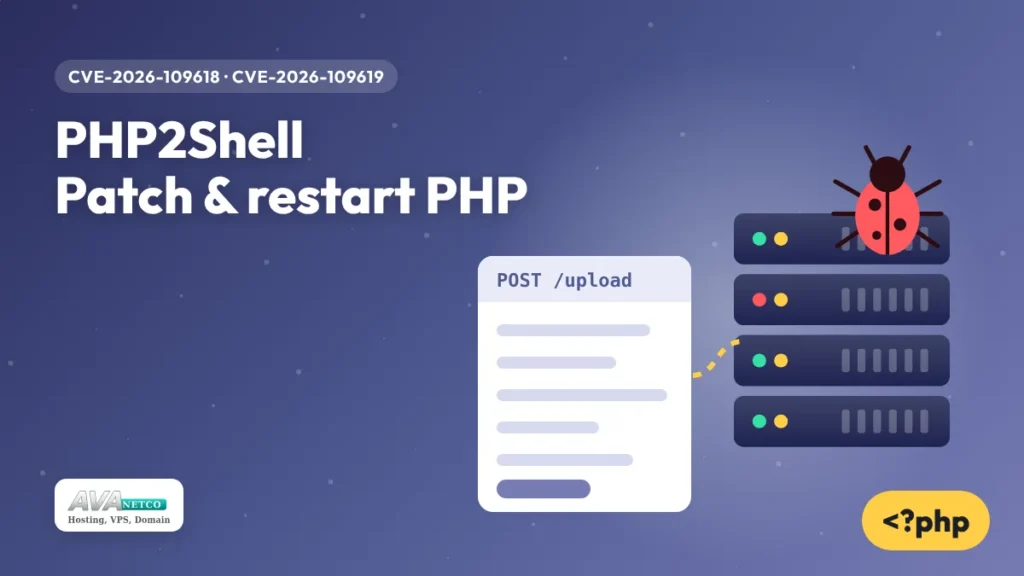
- PHP2Shell is the name for two critical bugs in the PHP engine, CVE-2026-109618 and CVE-2026-109619, published on 21 October 2026 with a CVSS score of 9.2.
- An attacker does not need an account. A crafted HTTP request can lead to remote code execution or leak server memory.
- Every PHP release from 5.4 up to 8.5.11 is affected. The fixes are in PHP 8.5.12, 8.4.27, 8.3.36 and 8.2.35.
- Updating the package is only half the job. PHP-FPM, Apache, LiteSpeed or FrankenPHP must be restarted, or the old code keeps serving requests.
Most PHP security issues live in an application: a WordPress plugin, a forgotten admin script, an old library. PHP2Shell is different. The bugs sit inside the PHP runtime itself, in the part that reads an incoming request before your code gets control. That is why the rating is so high, and why a well-maintained site on an old PHP build is still at risk.
What is PHP2Shell?
PHP2Shell is a pair of memory-safety flaws in core PHP that can give an unauthenticated attacker code execution inside the PHP worker process. The two bugs work together:
- CVE-2026-109618 is an out-of-memory problem. If PHP runs out of memory while it is still setting up internal request data, the cleanup code later treats that half-built data as if it were valid.
- CVE-2026-109619 is a use-after-free. Some state that belongs to one request can survive after its memory is released, and the next request handled by the same worker may use that stale state.
The attack goes through multipart form-data parsing, the code that handles file uploads, together with crafted PHPSESSID cookies. PHP does this parsing for every POST request of that type, on any PHP page. Your site does not need an upload form to be exposed, and nothing in your own code or CMS settings can stop it.
Proof-of-concept code is public. The setup that has been shown to be easiest to attack is Apache with mod_php, where a single request was enough in a demonstration. PHP-FPM, php-cgi, LiteSpeed and FrankenPHP are affected as well.
Which PHP versions are affected?
All PHP versions from 5.4 through 8.5.11 are vulnerable. Fixed builds exist only for the branches that are still supported:
| PHP branch | Vulnerable | First fixed release |
|---|---|---|
| 8.5 | 8.5.11 and earlier | 8.5.12 |
| 8.4 | 8.4.26 and earlier | 8.4.27 |
| 8.3 | 8.3.35 and earlier | 8.3.36 |
| 8.2 | 8.2.34 and earlier | 8.2.35 |
| 8.1, 8.0, 7.x, 5.4 to 5.6 | All releases | No new official release |
One detail trips people up. Debian, Ubuntu, AlmaLinux, Rocky Linux and other distributions often keep the original version number and backport the fix into their own package. php -v might print 8.3.6 on Ubuntu and still be patched. For distribution packages, look for the CVE numbers in the changelog instead of comparing version strings.
How do I patch PHP2Shell on a Linux VPS?
Patching PHP2Shell takes four steps: find out which PHP builds are running, install the fixed packages, restart every service that loads PHP, and confirm that the fix is in place.
1. Find the PHP builds that serve your sites
The php command shows the command-line build, which is not always the one your web server uses. List the FPM services and Apache modules too:
php -v
systemctl list-units --type=service | grep -i -E 'php|fpm|lsws|httpd|apache'
ls /etc/php/ 2>/dev/null        # Debian and Ubuntu: one folder per installed version
2. Install the updated packages
# Debian / Ubuntu
sudo apt update
sudo apt install --only-upgrade 'php*'

# AlmaLinux / Rocky Linux / RHEL
sudo dnf upgrade 'php*'
If you compiled PHP yourself or use a container image, rebuild with 8.2.35, 8.3.36, 8.4.27, 8.5.12 or newer, then redeploy.
3. Restart everything that loads PHP
This is the step that gets skipped. A running PHP-FPM pool keeps the old, vulnerable code in memory until it restarts. Restart the services that apply to your server:
sudo systemctl restart php8.3-fpm     # repeat for each installed version
sudo systemctl restart php-fpm        # RHEL family
sudo systemctl restart apache2        # or httpd, when PHP runs as mod_php
sudo systemctl restart lsws           # LiteSpeed
Then check that the worker processes were started after the update:
ps -o pid,lstart,cmd -C php-fpm8.3If the start time is older than the package update, the old code is still running.
4. Confirm the fix is installed
# Debian / Ubuntu
apt-get changelog php8.3-fpm | grep -E 'CVE-2026-10961[89]'

# RHEL family
rpm -q --changelog php-fpm | grep -E 'CVE-2026-10961[89]'
No output usually means the package you have does not contain the fix yet. Check that the security repository is enabled, and look again later the same day.
What if a site still runs PHP 8.1, 8.0 or 7.4?
PHP 8.1 and older are past end of life, so there will be no 8.1.x release that fixes PHP2Shell. Source-level backports for a few old branches do exist, but they are meant for teams that build PHP themselves and should be treated as a last resort.
The lasting fix is to move the site to PHP 8.2 or newer. For most WordPress, Laravel and custom sites, 8.3 is a sensible target today. A safe way to do it:
- Copy the site to a staging folder or a second VPS.
- Switch the copy to the new PHP version and turn on error logging.
- Click through the pages that matter: checkout, login, contact forms, admin.
- Update or replace plugins and libraries that throw deprecation errors.
- Switch production once the logs are clean.
Temporary hardening if you cannot update today
If a patched package is not available yet, these settings reduce the attack surface. They do not fix the bugs. Put them in the main php.ini or in the FPM pool file with php_admin_value, not in .htaccess, and restart PHP afterwards:
session.upload_progress.enabled = 0
post_max_size = 8M
upload_max_filesize = 4M
max_input_nesting_level = 16
max_input_vars = 250
max_file_uploads = 10
max_multipart_body_parts = 100
; file_uploads = Off    ; only if the site accepts no uploads at all
expose_php = Off
display_errors = Off
Two warnings. A low max_input_vars can break large forms, such as big WordPress menus or products with many variations, so test after the change. And setting pm.max_requests = 1 in the FPM pool stops a worker from serving a second request, which blocks the multi-step part of the attack but costs CPU on busy sites.
At the web server, limit request bodies (client_max_body_size 8m; in Nginx) and, where possible, refuse multipart/form-data on URLs that never take uploads.
How can I tell if someone already tried it?
Look for these signs in your logs and on the server:
PHPSESSIDcookies far longer than normal. A real session ID is 22 to 256 characters.- Requests with repeated path segments such as
/index.php/index.php/index.phpthat return 404. - Bursts of POST requests to one URL that alternate between 500 and 200 responses.
- PHP-FPM workers dying with signal 11 (segmentation fault):
grep -i -E 'signal 11|SIGSEGV' /var/log/php*-fpm.log - Shell tools started by the web server user. This is the strongest sign of a successful attack:
ps -ef --forest | grep -E -A3 'php-fpm|apache2|httpd'Watch for
sh,bash,curl,wgetorpythonrunning aswww-dataorapache.
If something looks wrong, take a snapshot or backup of the VPS before you restart services, since a restart wipes the memory that would show what happened. A server where code really ran as the web user should be rebuilt from a clean image, with passwords and API keys changed.
What about shared and cPanel hosting?
On shared, cPanel or reseller hosting, PHP binaries are updated at the server level, so there is no package for you to install. What you still control is the PHP version selected for each domain. Open the PHP version selector in your control panel and move any site that still uses 7.4, 8.0 or 8.1 to 8.2 or newer. The newer branches are the ones that receive official fixes.
On a VPS you manage the operating system yourself, so the update, the restart and the check above are your job. If you are planning a move to a fresh server with a current PHP version, our VPS locations come with full root access, and Linux hosting with cPanel is there if you would rather not manage PHP yourself.
For more on keeping a server in shape after updates like this one, see our Linux VPS security checklist.